Free coding workshops where kids' code drives a real car.
Kids snap blocks together on a laptop, upload them to a car we built, and watch their program roll across the floor. For grades 2–8, at camps and community centers around Ann Arbor.
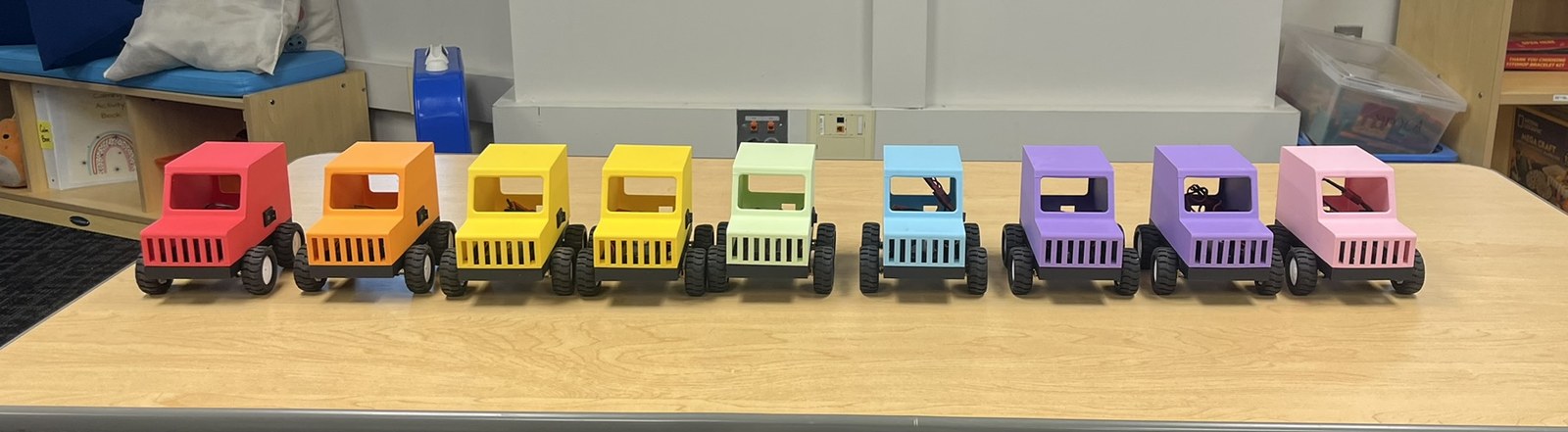
Since June 2026: day camps, child care centers and youth programs in Ann Arbor and Ypsilanti.
Code that leaves the screen
Most kids meet code as text in a window. Here it's a car on the floor, and every block they place turns into something they can watch happen.
A typo on a screen is easy to miss. A car that turns left instead of right is not.
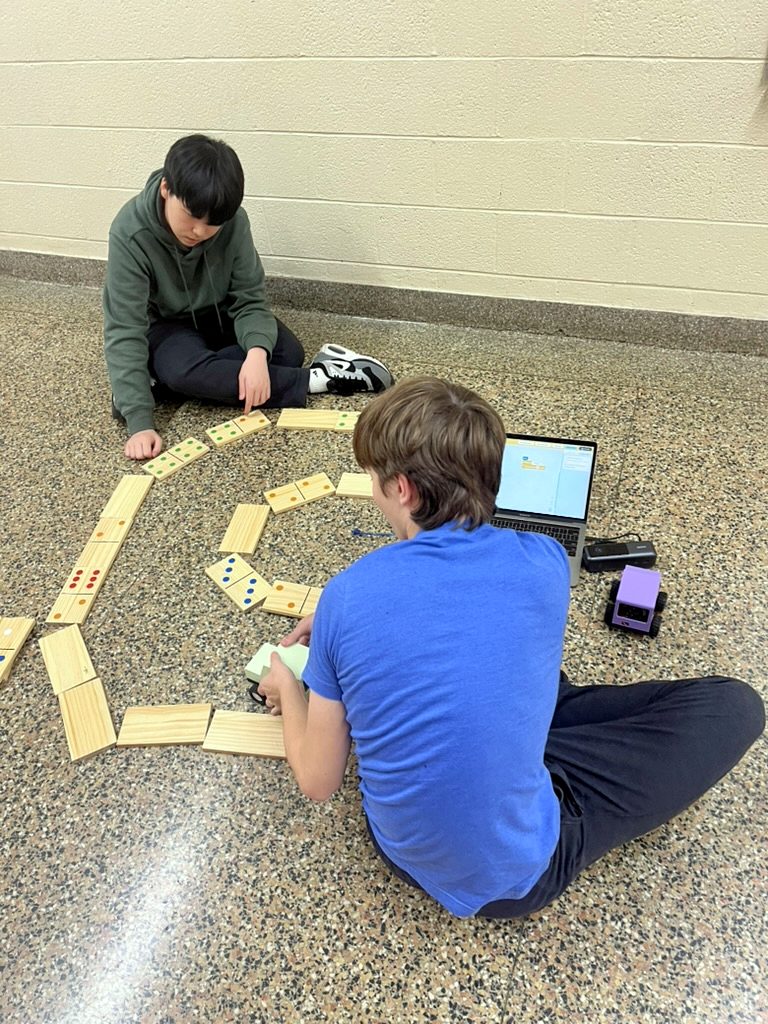
When the car stops one domino short, kids change one number and try again. That's debugging, and they do it without being told.
The top lifts off, so kids can see the board, motors and wires their code is driving.
A visit
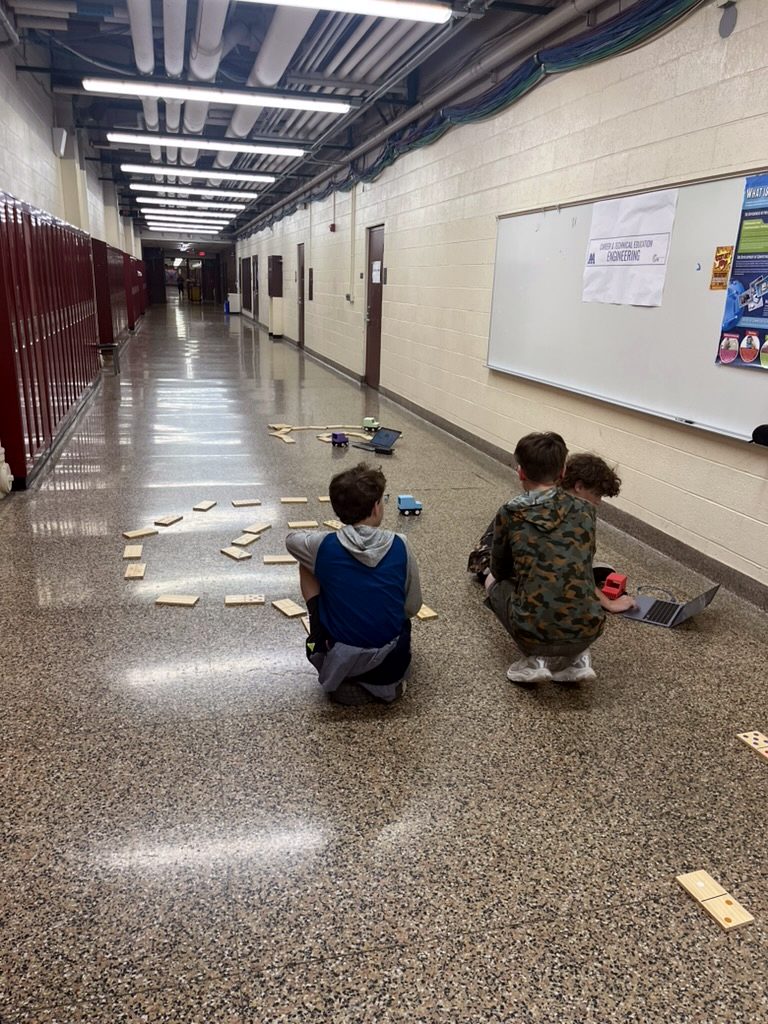
We bring the cars, laptops and giant dominoes, and fit the activities to your schedule and ages.
- Group size
- 8 to 40 kids
- Session length
- 60 to 100 minutes
- Ages
- Grades 2–8
- Format
- One visit or a weekly series
- 0–15 min
Demo
Kids call out the code; we run it and they guess what happens.
- 15–25 min
Free driving
Groups get comfortable with the blocks and uploading.
- 25–50 min
Domino challenges
Knock down a line, then a scattered set.
- 50–60 min
Domino maze
Get through hitting as few as possible.
Try it
Knock down all five dominoes. Tap blocks to add them, then press Run.
Designed, soldered and printed by hand.
Every circuit board, car body and line of the coding app is our own work. This page covers how each piece works and what we changed after putting it in front of kids.
Electronics
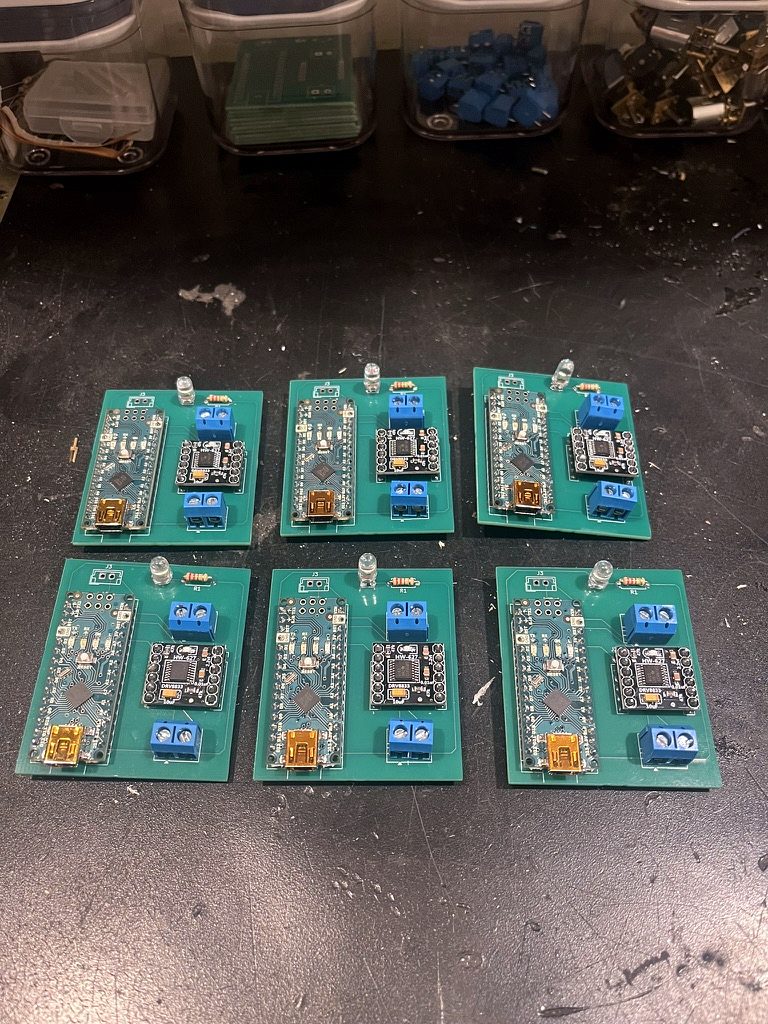
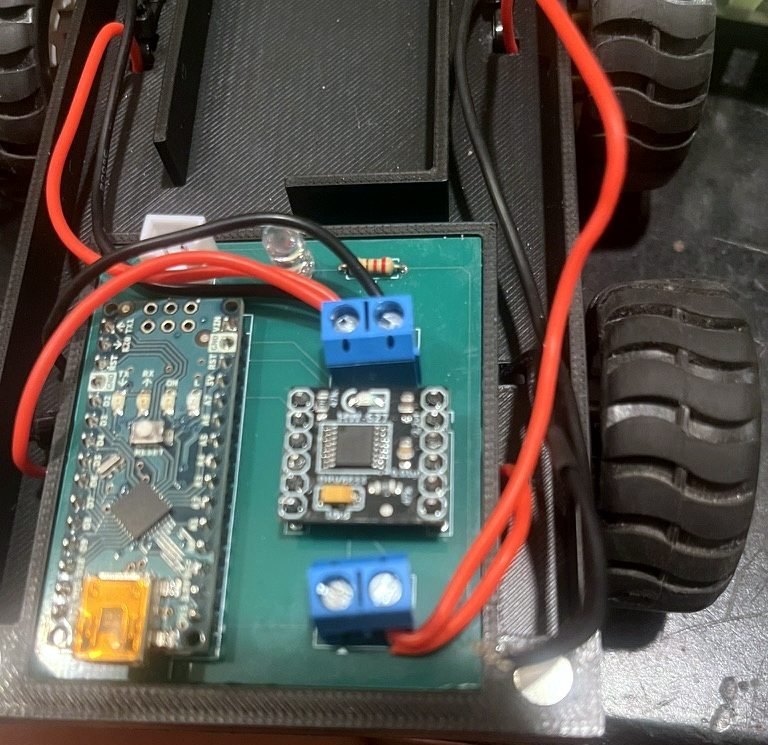
One custom board per car holds the microcontroller, the motor driver, the motor terminals and a status LED.
- Controller
- Arduino Nano (ATmega328P), programmed over USB
- Motor driver
- DRV8833 dual H-bridge; one channel per side
- Motors
- 4 × N20 6 V metal-gear motors, wired in parallel pairs
- Battery
- 2S Li-ion, 7.4 V, 3000 mAh, rechargeable
- Connectors
- JST-XH for power; screw terminals for each motor pair
- Switch
- Rocker switch on the body, so kids can stop a runaway loop
- Status LED
- Blinks a countdown after upload so kids can unplug and aim
- PCB
- Designed in KiCad; 64 header pins soldered per board
Three versions
An RC car we designed and built from scratch before Starling: custom body, LEDs and a joystick remote. For the first trial we stripped out the radio and lights and rewired it for code.
- All four motors rewired onto one driver
- Three 9 V batteries in parallel; one couldn't move it
- Turns stalled at medium speed, so turns were locked to full speed
Learned: 9 V batteries die within a session, and the loose wiring was slow to fix with kids waiting.
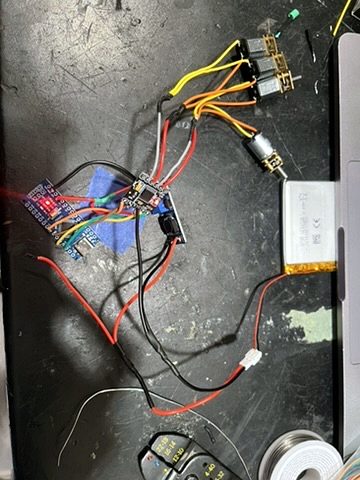 V1
V1
The first build designed for workshops, still from separate modules.
- Rechargeable lithium cell with a USB charger
- Boost converter to give the Nano a steady 5 V
- Motors run straight from the battery
Learned: it worked, but every car took hours of hand wiring, and more modules meant more joints to break.
 V2 · current
One custom board that the Nano, driver, terminals and LED plug into.
- 7.4 V pack powers the motors directly; no boost converter
- JST-XH plug for the battery, screw terminals for motors
- Power switch and countdown LED on every car
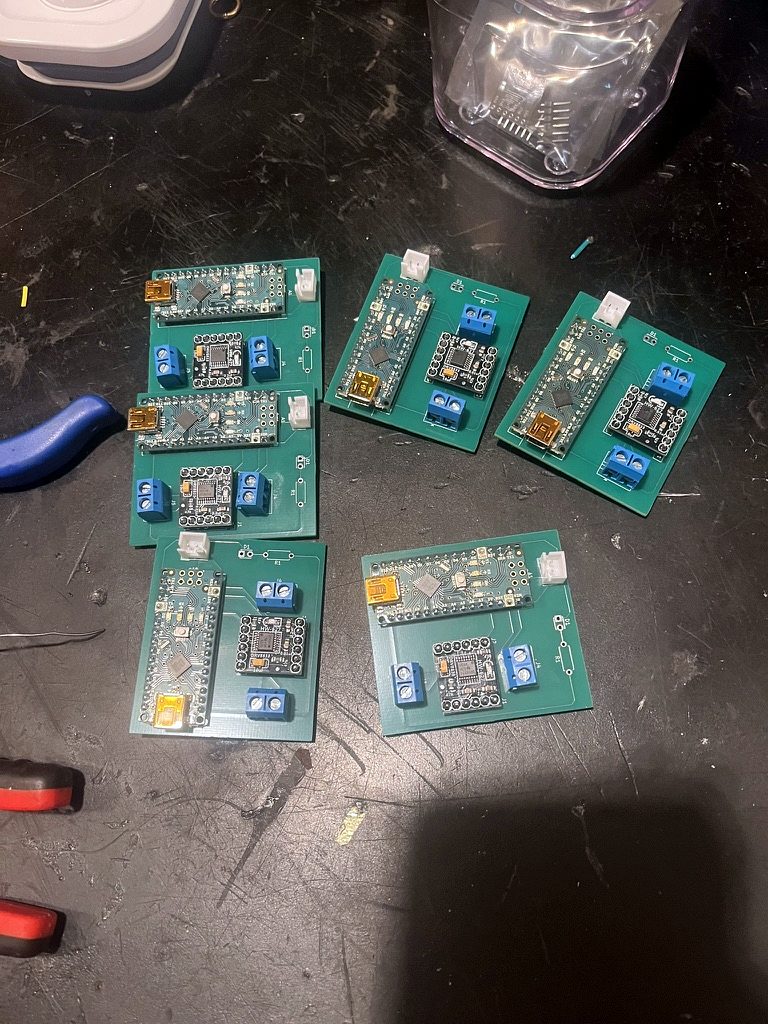
Learned: boards can be built six at a time. The next revision fixes the driver header spacing.
The body
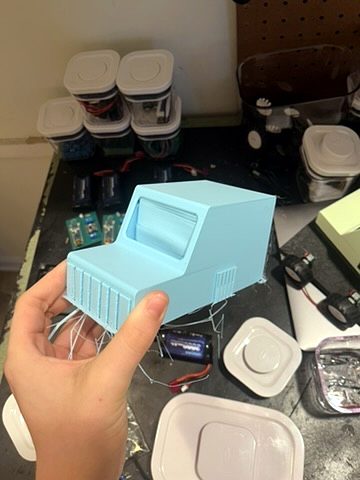
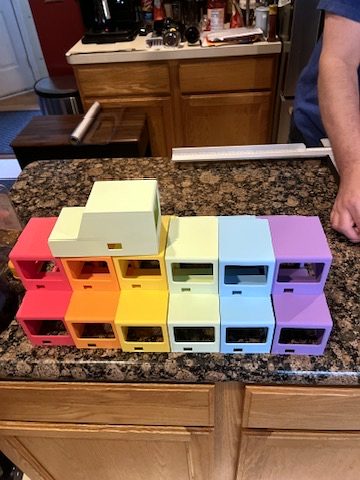
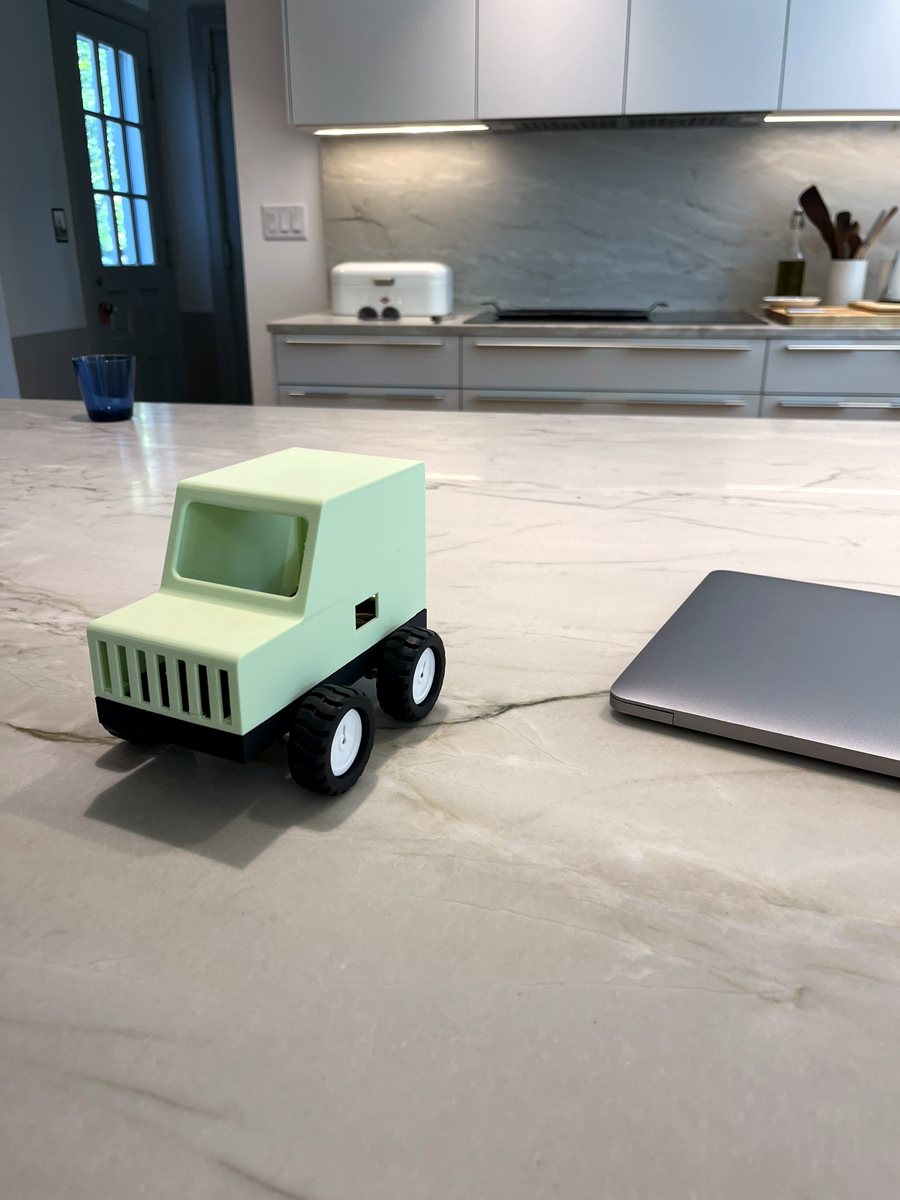
Two pieces, joined by magnets. A black base holds the board, battery and motors. The colored top lifts off, so we can show kids the inside, fix a car in seconds, and print more tops than bases. The electronics are the expensive part, so groups can decorate tops while the same boards serve every session.
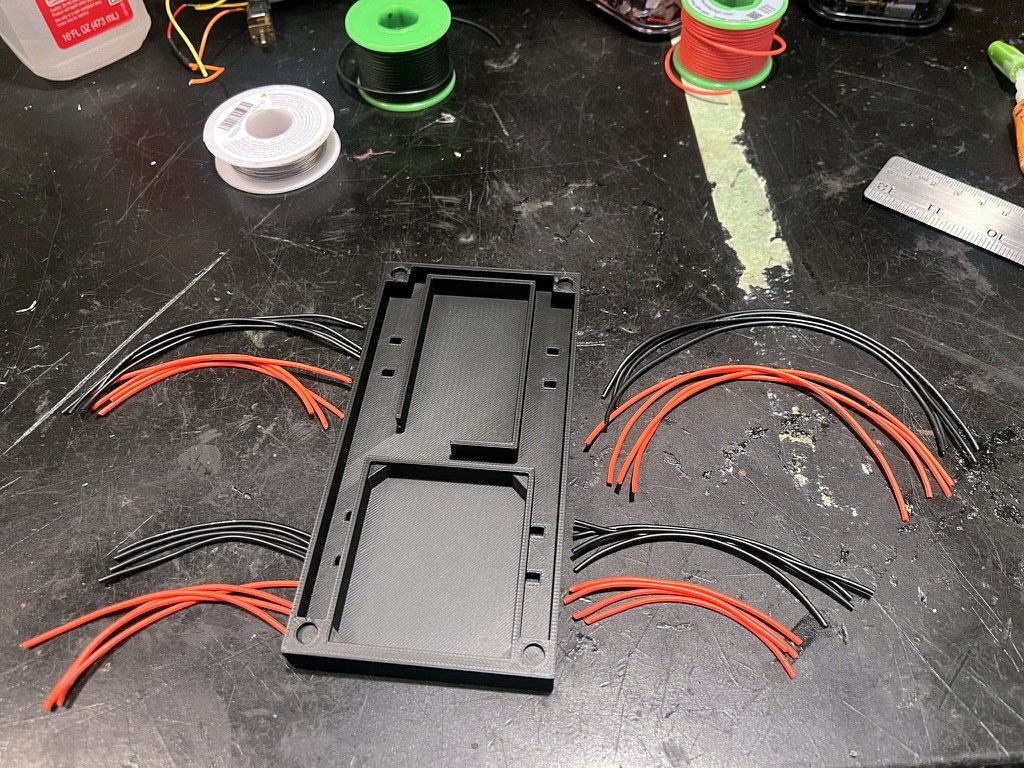
Printed for abuse. Both parts print at 60% infill. The base has a pocket sized to the board.
A jeep, on purpose. The boxy shape is quick to model, print and change, and the grille makes it look like a real car.
Assembly
Building cars for groups of almost 40 meant moving from one-at-a-time to batches.
Boards in sixes. Headers go on the drivers first, then the Nanos, drivers and terminals go on six boards in one sitting, testing each as we go.
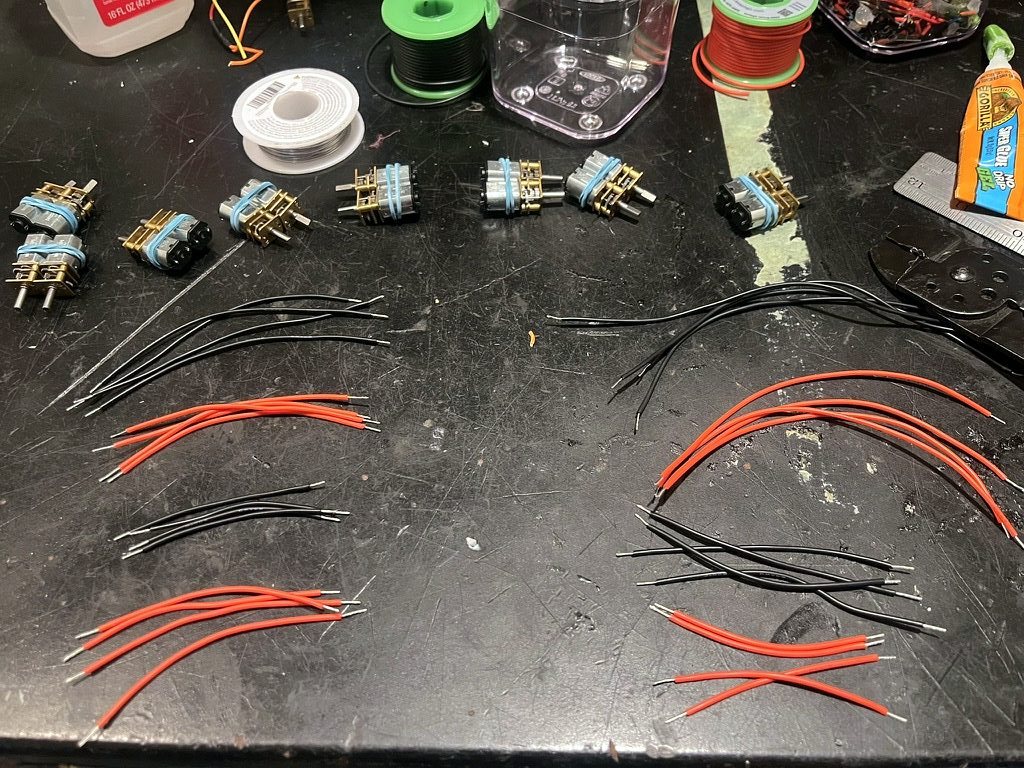
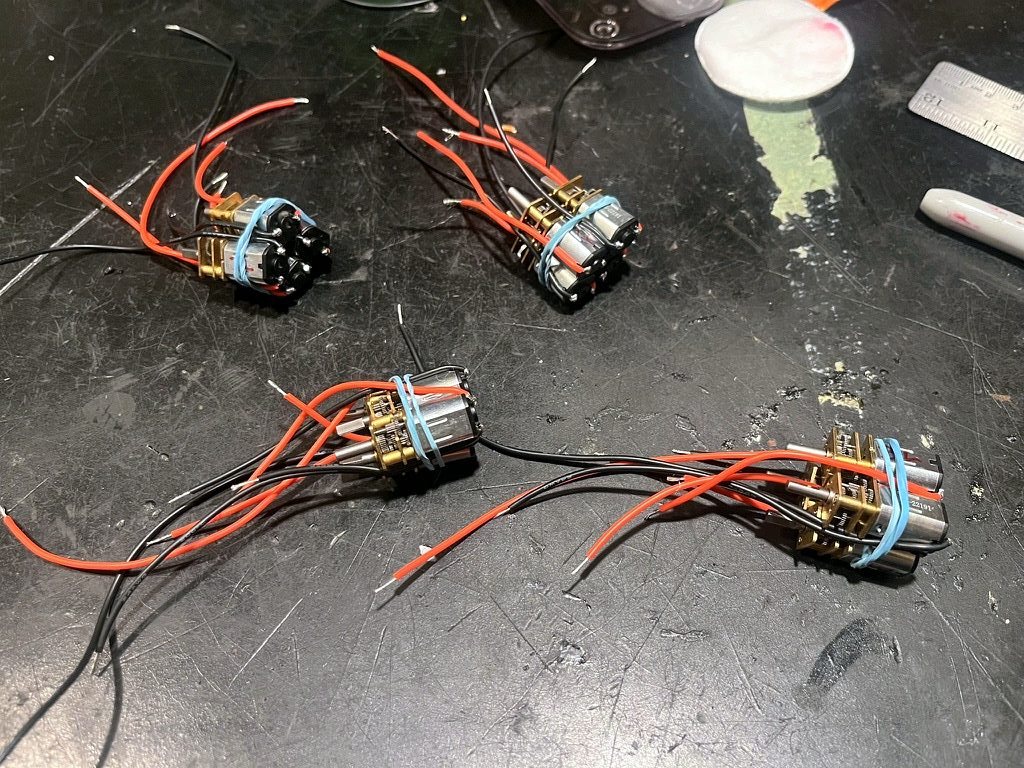
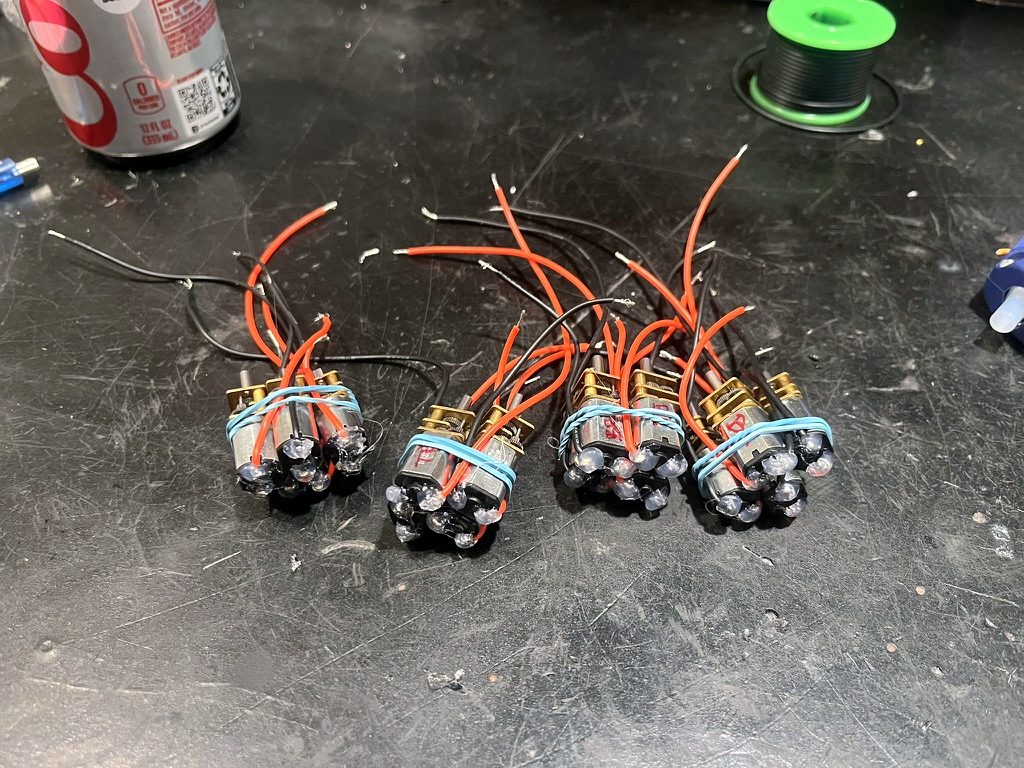
Motors in batches. 32 leads per batch, cut to 8 set lengths, stripped, twisted and soldered, then every joint sealed with hot glue.
Matched in pairs. Cheap motors have inconsistent polarity, so motors are paired per side before install and both sides spin the same way without rewiring.
The app
A desktop app, built with Electron and Blockly, that turns blocks into a real Arduino program and uploads it to the car in one click.
How a program reaches the car
BlocksKids snap blocks under a Start block. Blocks connect from farther away than Blockly's default, which helps on trackpads.
Program treeThe app reads the chain of blocks into a simple tree. If there's no Start block or nothing under it, it says so in plain words.
Arduino sketchEach block becomes one line of C++, such as
moveForward(2000);, inside a template with the motor code.Uploadarduino-cli compiles the sketch and flashes the Nano over USB. The app finds the car's port automatically.
CountdownThe car blinks its LED five times, giving kids time to unplug it and aim, then runs the program and stops.
Blocks
What the car runs
// Forward 2 s, turn left, repeat 3 times
setSpeed(3);
for (int rep = 0; rep < 3; rep++) {
  moveForward(2000);
  turnLeft(TURN_90_MS);
}
Turns are timed, tuned so 90° and 180° come out right on the floor. Source on GitHub
What testing with kids changed
At medium speed the motors stalled mid-turn. Turns now run at full speed, then return to the chosen speed.
9 V batteries died within a session. We moved to rechargeable 2S Li-ion.
Their CH340 USB chip wouldn't upload from a Mac. Genuine Nanos cost more but don't fail with kids waiting.
Kids love "repeat 999 times" and "forever." Every car now has a power switch, and the Forever block has no bottom connector, so nothing can be attached after it.
The driver's header rows were slightly too far apart. V2 works with bent headers; the next board narrows them to about 15 mm.
Solder joints popped and fuzz jammed a gearbox. Joints are now sealed with glue, motors are glued as well as zip-tied, and a jammed gearbox gets swapped from a spare motor.
Timeline
Researched about 20 local camps to approach.
First schematic; motors running on loose modules.
App architecture set; first upload to an Arduino.
First trial with kids on the prototype.
PCB designed in KiCad and ordered.
Boards arrive; first camp session.
Magnetic base and top designed and printed.
App restyled to match the brand.
Fleet grown for groups of almost 40.
Workshop with Pioneer Robotics; fifth organization.
Next
Want us to come to your camp?
Tell us a little about your group and we'll get back to you. It's free, and we bring everything.
Or email us directly:
hello@starlingrobotics.org